
Smart Employee Schedule Planner
Overview
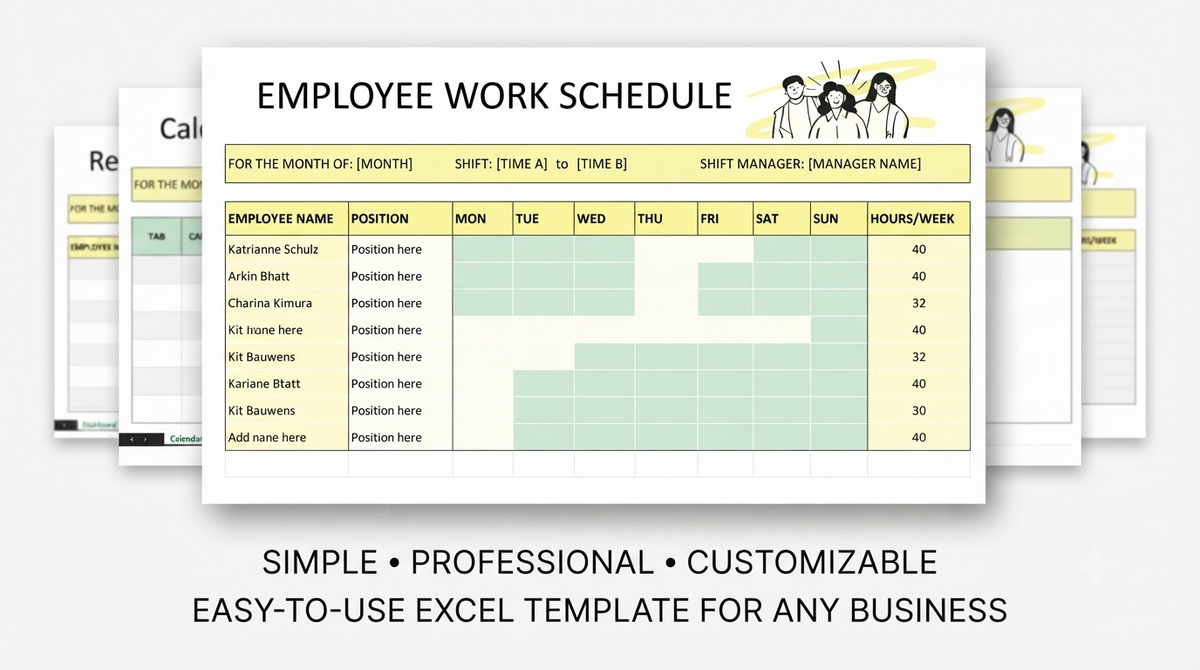
Streamline team scheduling and manage workforce shifts effortlessly with this playful, doodle-themed employee schedule tool.
Tailored for HR professionals and team managers handling complex rotas, this template provides a clear framework to organize, update, and track employee shifts.
Designed for Google Sheets and compatible platforms, it allows you to quickly establish weekly schedules and adapt to last-minute shift changes without confusion.
Combining high-level functionality with a creative green, yellow, and black aesthetic, this scheduling tool eliminates workplace confusion for a more organized workweek.
Features
- Playful doodle-themed aesthetic with a high-contrast green, yellow, and black color scheme
- Streamlined shift management system tailored for HR professionals and team leaders
- Seamless operational capability on Google Sheets and other compatible platforms
- Intuitive weekly schedule structure designed for quick updates and rapid shift adjustments
- Clean digital framework to eliminate scheduling conflicts and improve workforce visibility
- User-friendly layout engineered for fast setup and effortless routine management
Pages
- Weekly Employee Shift Schedule Dashboard
- Team Rota & Roster Overview
- Shift Adjustment & Updates Sheet
What's Included
- Digital Employee Shift Schedule Spreadsheet Template
- Pre-formatted weekly rota, shift allocation, and schedule update layouts
- Custom doodle-themed visual accents in green, yellow, and black tones
Support
We offer dedicated customer support to help you access, open, and customize your shift schedule template.
Our goal is to ensure your team management and scheduling operations run seamlessly.
Support Includes
- Assistance with accessing and saving the template in Google Sheets or compatible platforms
- Basic guidance on modifying shift schedules and updating employee details
- Troubleshooting link access or spreadsheet visual layout issues
Support Does Not Include
- Direct HR management, labor compliance, or operational consulting
- Custom script writing or complex macro programming
- Third-party software setup outside supported spreadsheet environments
Customer reviews
No ratings yet.
Có thể bạn thích
Sản phẩm tương tự


Frequently asked questions
View all FAQsNo. You can install, customize, and launch with Shopify's visual editor. No coding experience is required. Our detailed documentation guides you through every step.
No. You can install, customize, and launch with Shopify's visual editor. No coding experience is required. Our detailed documentation guides you through every step.
Yes. Documentation, help center articles, and support tickets are available. Our team responds within 24 business hours for any technical questions.
No. You can install, customize, and launch with Shopify's visual editor. No coding experience is required.