
Sleek Daily Calendar Planner
Overview
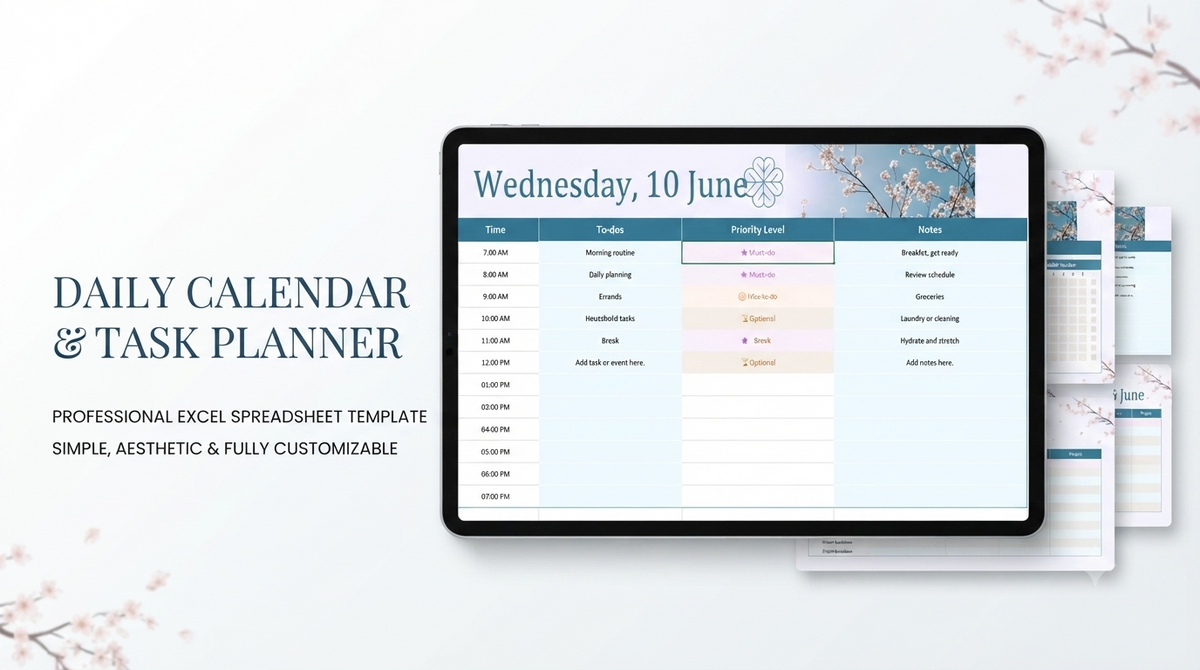
Elevate your daily planning routine with this sleek and modern daily calendar template, designed to integrate seamlessly into Google Sheets and other spreadsheet platforms.
Engineered for individuals seeking refined organization, this tool allows you to view tasks, track appointments, manage critical deadlines, and organize key events at a single glance.
Featuring a sophisticated color palette of blue, violet, white, and black, it turns routine schedule tracking into a visually captivating, professional experience.
Whether you are structuring a demanding work schedule or streamlining personal productivity, this intuitive calendar ensures your day stays perfectly organized and on track.
Features
- Sleek and elegant design styled with a modern blue, violet, white, and black color palette
- At-a-glance layout for efficient daily task, deadline, and appointment tracking
- Seamless cross-platform compatibility with Google Sheets and standard spreadsheet software
- Intuitive task management framework designed for effortless schedule organization
- Clean digital structure to streamline personal and professional time management
- User-friendly layout optimized for quick daily updates and hassle-free navigation
Pages
- Daily Schedule Dashboard Overview
- Appointment & Deadline Tracker
- Task List & Event Planning Sheet
What's Included
- Digital Daily Calendar Spreadsheet Template
- Pre-formatted task management, appointment, and deadline tracking layouts
- Sleek visual theme styling in blue, violet, white, and black tones
Support
We offer dedicated customer support to assist you with opening, accessing, and personalizing your daily calendar template.
Our primary objective is to help you maintain a seamless and productive schedule management routine.
Support Includes
- Assistance with accessing and saving the spreadsheet in Google Sheets or compatible software
- Basic guidance on navigating and filling out daily task and event fields
- Troubleshooting template access or layout display issues
Support Does Not Include
- Personal administrative, executive assistant, or calendar management services
- Custom script creation or complex formula development
- Third-party software setup outside supported spreadsheet environments
Customer reviews
No ratings yet.
Có thể bạn thích
Sản phẩm tương tự


Frequently asked questions
View all FAQsNo. You can install, customize, and launch with Shopify's visual editor. No coding experience is required. Our detailed documentation guides you through every step.
No. You can install, customize, and launch with Shopify's visual editor. No coding experience is required. Our detailed documentation guides you through every step.
Yes. Documentation, help center articles, and support tickets are available. Our team responds within 24 business hours for any technical questions.
No. You can install, customize, and launch with Shopify's visual editor. No coding experience is required.