
Dynamic Weekly Budget Planner
Overview
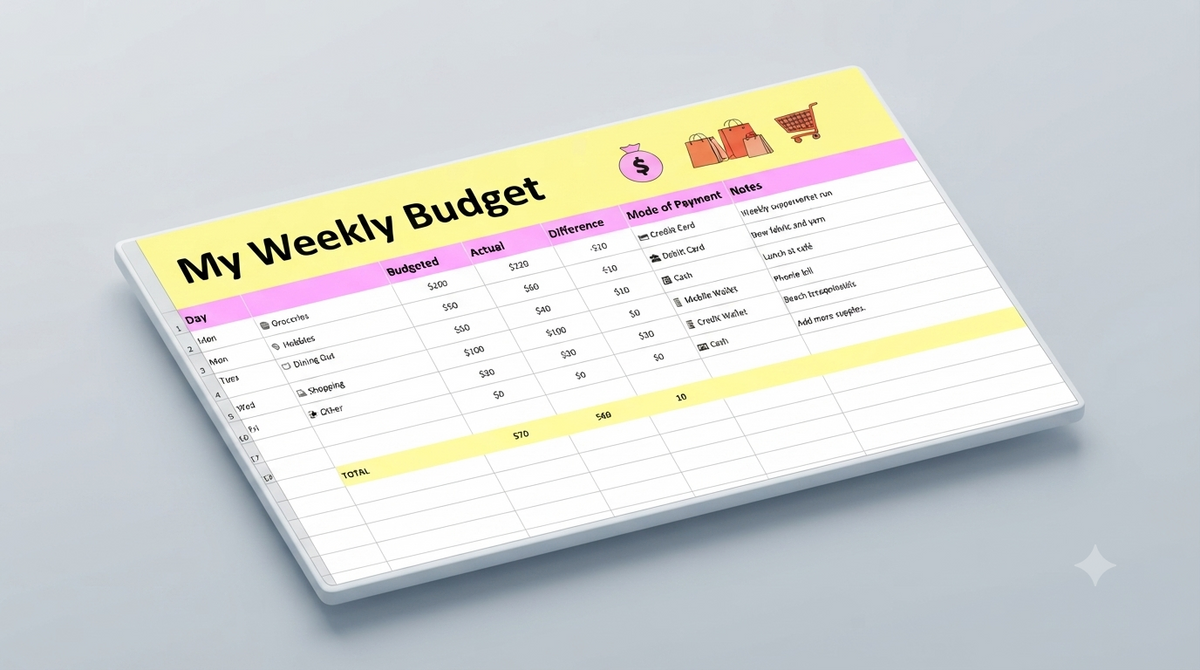
Take complete control of your finances with this vibrant, easy-to-use Weekly Budget Spreadsheet designed to simplify personal expense management.
Crafted with an eye-catching yellow and blue illustrated layout, this tool turns weekly money tracking into a clear, engaging, and stress-free process.
Categorize and visualize all your weekly outflow—from everyday groceries to leisure entertainment—in one centralized digital workspace.
Whether you are an experienced budgeter or just beginning your financial journey, this editable tool seamlessly adapts to your lifestyle for instant financial clarity.
Features
- Vibrant yellow and blue illustrated design for clear visual categorization
- Intuitive weekly expense tracking layout for groceries, entertainment, and essential spending
- Instant data visualization that turns numerical entries into an easy-to-read weekly budget summary
- Fully customizable and editable structure tailored to your personal financial goals
- Multi-platform accessibility compatible with Google Sheets and other popular spreadsheet applications
- User-friendly setup ideal for both beginner budgeters and financial enthusiasts
Pages
- Weekly Spending & Category Breakdown Dashboard
- Weekly Budget Input & Visual Tracking Sheet
What's Included
- Editable Weekly Budget Spreadsheet Template for Google Sheets
- Pre-formatted multi-category expense layout with yellow and blue visual theme
- Digital user documentation for quick setup and customization
Support
We offer dedicated customer support to help you download, open, and customize your weekly budget template effortlessly.
Our objective is to ensure you achieve a smooth, hassle-free budgeting experience across all supported spreadsheet platforms.
Support Includes
- Assistance with accessing and saving the template in Google Sheets or compatible platforms
- Basic guidance on customizing expense categories and inputting data
- Troubleshooting file access or visual display issues
Support Does Not Include
- Personalized financial planning, investment advice, or tax consulting
- Custom macro or script development for external software integration
- Third-party software setup outside supported spreadsheet environments
Customer reviews
No ratings yet.
Có thể bạn thích
Sản phẩm tương tự


Frequently asked questions
View all FAQsNo. You can install, customize, and launch with Shopify's visual editor. No coding experience is required. Our detailed documentation guides you through every step.
No. You can install, customize, and launch with Shopify's visual editor. No coding experience is required. Our detailed documentation guides you through every step.
Yes. Documentation, help center articles, and support tickets are available. Our team responds within 24 business hours for any technical questions.
No. You can install, customize, and launch with Shopify's visual editor. No coding experience is required.